
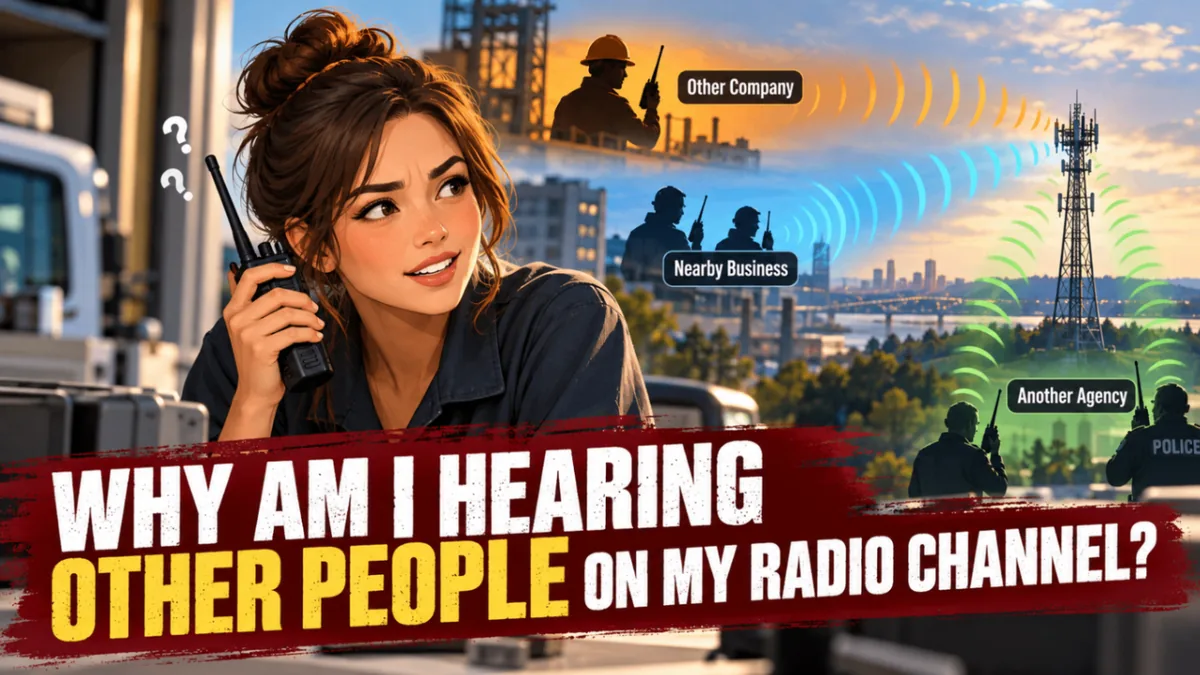
1. The short answer
If you hear strangers on your two-way radio channel, your radio may be receiving someone else on the same frequency, or its programming may not be filtering the traffic as intended.
The fix is often a programming adjustment, not a new radio. A technician can check the receive and transmit frequencies, operating mode, and squelch settings, then confirm the right CTCSS tone, DCS code, DMR color code, or NXDN RAN is programmed.
One important distinction: those tones and codes help control what your radio’s speaker plays. They do not make a frequency private or prevent another user from transmitting on it.
2. “Channel” doesn’t always mean a separate frequency
The channel name on your radio is just a label. “Operations 1” on your radio could use the same frequency as “Warehouse East” on someone else’s. The labels don’t have to match.
Two separate organizations can also be authorized to use the same frequency in different areas or under different conditions. If their signals reach one another, you may hear unexpected traffic. That can happen in the Memphis–Mid-South region, especially where coverage areas overlap.
The first useful question is not “Why are they on my channel?” It’s “What is this channel programmed to receive?”
3. From carrier squelch to digital codes
Radio systems have several ways to decide when a receiver should open its speaker. These settings are often treated as privacy controls, but they are better understood as squelch filters.
A privacy code is not privacy. It is a mute control for your speaker. Everything on the frequency is still there, whether you hear it or not.
Carrier squelch
With carrier squelch, sometimes labeled CSQ, the radio opens when it detects a sufficiently strong signal on the programmed frequency. It does not check for a particular tone or code first.
That makes carrier squelch a common reason users hear other traffic. It can be useful for monitoring or in situations where a radio needs to receive any signal on a channel. But for many business systems, it may not be the intended everyday setting.
CTCSS tones and DCS codes
On analog systems, CTCSS and DCS add a tone or code to a transmission. A receiving radio programmed for the matching setting opens its speaker. A radio set to a different setting will normally stay quiet.
The settings are not interchangeable: CTCSS uses a sub-audible tone, while DCS uses a digital code. But neither reserves the frequency. If another user happens to use the same frequency and the matching setting, your radio may open for their traffic, too.
NXDN RAN and DMR color code
Digital systems have similar squelch or access settings. RAN is used in NXDN systems, while color code is used in DMR systems.
A digital channel may also depend on other settings, such as a DMR talkgroup and time slot. Getting one setting wrong can mean you miss the traffic you need, or hear traffic you did not expect to hear.
These settings help radios sort received signals. They do not stop another transmitter from using the same frequency, and they cannot guarantee clean reception when signals overlap.
4. When the code doesn’t match, the interference is still there
A mismatched tone or code keeps your speaker quiet. It does not remove the other signal from the channel.
Say a radio is receiving an on-frequency carrier that carries the wrong CTCSS tone or DCS code. The speaker stays silent, but the user may notice the radio’s busy light coming on. That light responds to any carrier on the frequency, not to a matching code, so it is often the first clue that someone else is transmitting.
The unwanted carrier can also cause range and audio problems even when nothing is heard. The receiver is working to separate the proper carrier with the right code from the other carrier on the same frequency, a problem known as desense. Usually the stronger signal wins, and the audio that gets through may still sound broken or distorted.
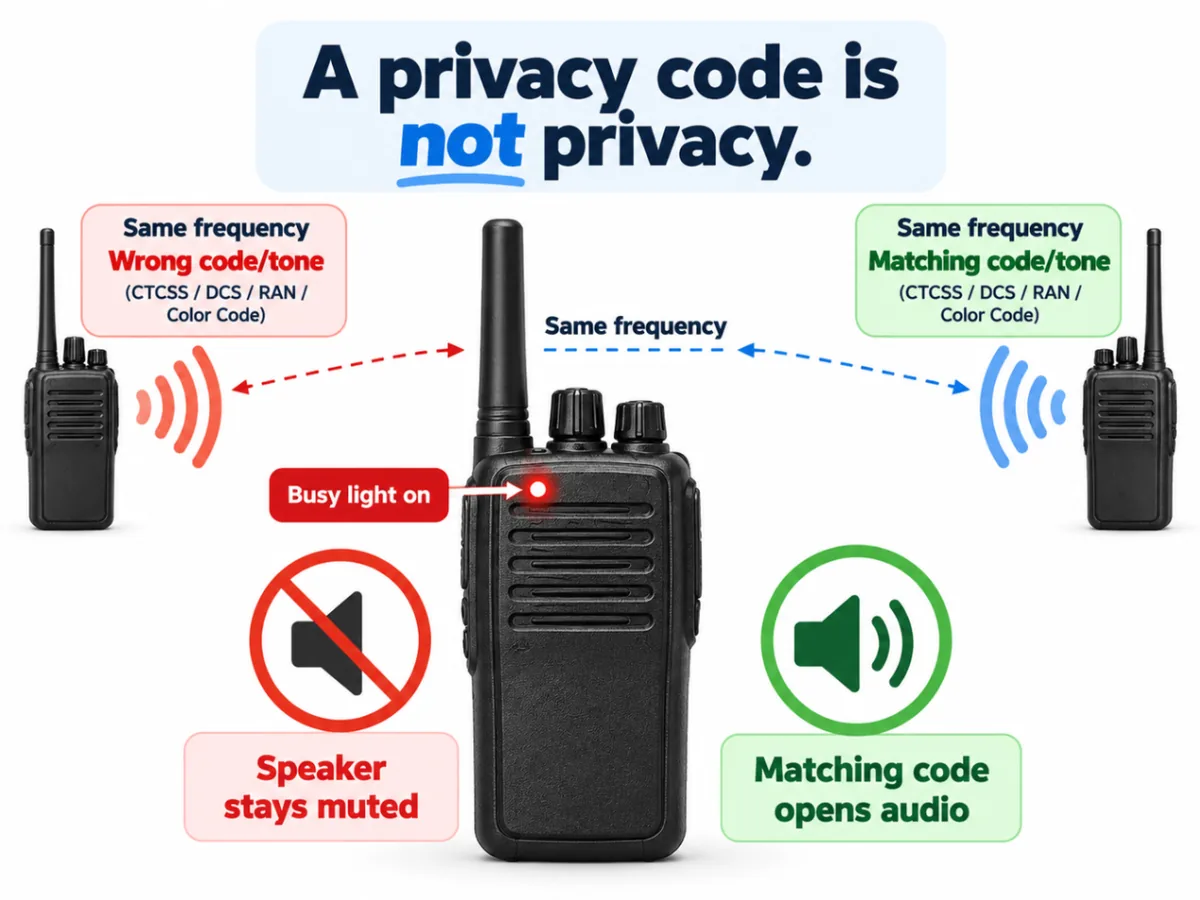
This is the real limit of a privacy code: it is a mute control for the speaker, not a filter on the antenna. The radio still hears everything on the frequency, whether or not the user does.
5. What might be causing the traffic?
A few common causes are worth checking before anyone replaces equipment:
- Carrier squelch is enabled. The radio may be opening for any strong enough signal on that frequency.
- The frequency is shared. Another authorized system may use the same frequency within range.
- A tone or code matches another user’s. Similar frequencies and settings can make unrelated radios open together.
- A channel was programmed incorrectly. The receive frequency, repeater offset, analog or digital mode, or code may not match the approved channel plan.
- You are hearing a repeater output. A repeater can extend the area where traffic is received. A radio may hear a nearby system even when users are far from one another.
- The radio is on a shared channel. Some channels are intentionally shared for coordination or interoperability.
Not every symptom points to a squelch setting. Clear, understandable voices suggest that the radio is decoding traffic. Bursts of noise, broken audio, or garbled digital sound may point to a signal conflict or other reception problem. A technician can help distinguish between them.
A common service call starts with a simple report: “We’re hearing people we don’t recognize.” The useful next step is checking the channel programming, not ordering a stack of replacements before the cause is known. Your channel knob is not a moat.
6. What to check before changing settings
A few observations can help narrow down the issue. Don’t change frequencies or codes at random, especially on a system that supports public safety, school operations, fleet dispatch, or industrial work.
- Write down the channel name and the time you heard the traffic. Note your location and whether the audio was clear, broken, or just noise.
- Check which radios are affected. If only one radio has the problem, its programming or condition may differ from the rest of the fleet.
- Have a qualified technician review the channel plan. That review may include receive and transmit frequencies, repeater settings, analog or digital mode, bandwidth, CTCSS or DCS, NXDN RAN, and DMR color code, talkgroup, and time slot.
- Ask whether the channel is shared or intended for your system only. A channel label alone cannot answer that question.
- Don’t transmit over the other users to test the channel. That can worsen interference and disrupt someone else’s work.
A technician may temporarily use a monitor or carrier-squelch setting as part of diagnosis. That is a controlled check, not a fix to apply casually across a working fleet.
7. Reprogramming may be enough
If the radios are otherwise suitable for your system, a programming correction may solve the problem. That could mean setting the correct receive code, fixing a mode mismatch, or correcting an error in the channel lineup.
If the issue is actually a shared frequency or persistent interference, changing a squelch code may only silence the speaker. It will not stop overlapping transmissions or restore a clean channel. A different channel assignment may need technical review and, where required, proper authorization and coordination.
That’s why troubleshooting should start with the system, not with the assumption that every radio needs replacing. Comserv Services provides radio service and support and professional installations for organizations that need a working communications plan from programming through ongoing maintenance.
8. Licensing and frequency coordination
For radio services that require FCC authorization, the license and radio programming need to match the system’s authorized operating parameters. Licensing should be handled correctly regardless of how likely enforcement may seem.
Where frequency coordination applies, it helps evaluate proposed frequency assignments and reduce the risk of conflicts. A coordinated assignment can help establish that your organization has an authorized basis for its operation and provide a clearer starting point when a persistent problem needs to be addressed.
It is not an RF shield. Coordination does not guarantee that you will never hear another system, and licensing does not automatically make every frequency exclusive. Terrain, coverage overlap, shared use, and unusual propagation can still create reception issues.
Comserv Services does not provide legal advice or set FCC policy. Our planned FCC licensing article will cover the process in more detail.
9. Keep the whole communications plan ready
Reliable communications depend on more than a handheld radio. Public safety agencies, schools, industrial crews, and commercial fleets may need coordinated portables, vehicle radios, repeaters, dispatch, GPS, and in-building coverage.
As systems evolve across P25, DMR, NXDN, GPS, and in-building coverage, continuous training and system reviews help keep programming and procedures aligned. Comserv Services provides end-to-end support, from equipment procurement to installation and ongoing service, with more than 150 years of combined staff experience serving the Mid-South.
If the traffic you are hearing is causing problems on a working system, start with an assessment of the channel plan and programming. Call 901-767-6800 to talk through what you are hearing with our team.
10. Common questions
Do CTCSS, DCS, RAN, or color codes give my channel privacy?
No. They help control which signals open your radio’s speaker. They do not prevent other users from transmitting on the same frequency or make conversations private.
Will changing the code stop interference?
It may stop your speaker from opening for some unwanted traffic. It will not prevent overlapping transmissions, and it may also hide traffic your team needs to hear. Confirm the right settings with a technician before changing them.
Why does my busy light come on but I hear nothing?
A busy light responds to any carrier on the frequency, including a signal with a CTCSS tone, DCS code, RAN, or color code that does not match your radio’s setting. The speaker stays muted, but the other transmission is still there, and it may still be affecting your range and audio quality.
Does hearing another user mean our radios are broken?
Not necessarily. The radios may be working as programmed on a shared or overlapping frequency. Incorrect programming is also common and may be correctable without replacing the radios.
Is basic radio voice scrambling secure?
Some business radios offer basic voice-inversion scrambling. It may deter casual eavesdropping, but it should not be treated as secure encryption. Don’t use it as a substitute for an approved secure communications plan.
What should we give a technician?
Provide the affected channel name, time and location, which radios are involved, and a description of the audio. Do not share sensitive information over a channel while troubleshooting.